Plugwise mobile2.2.5
Publisher Description
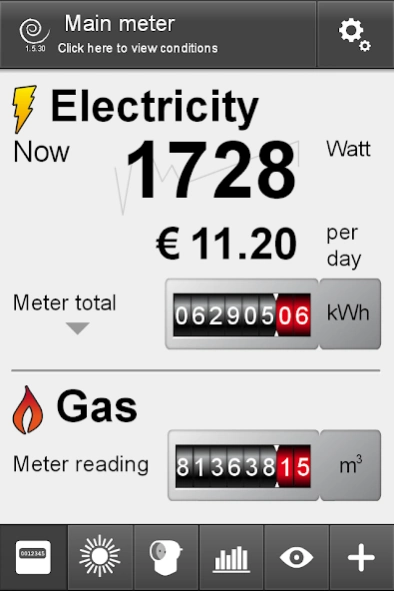
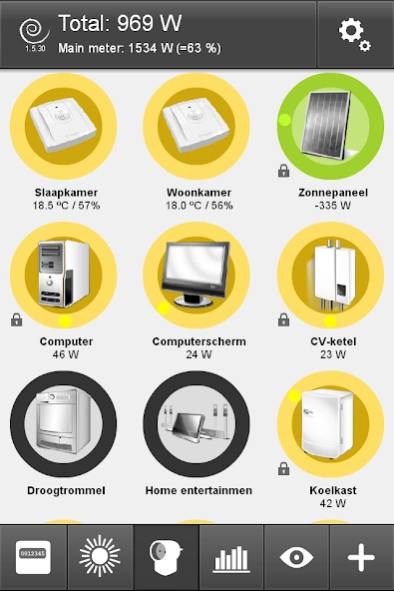
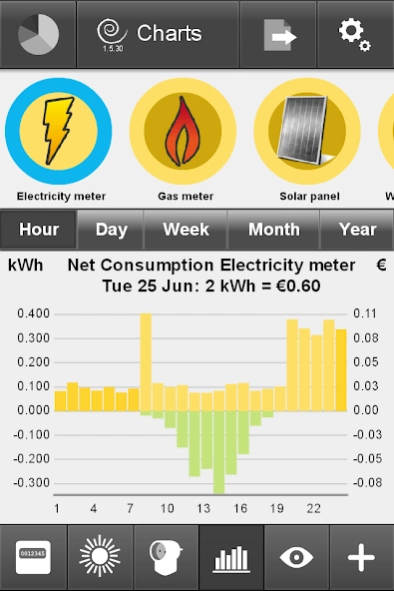
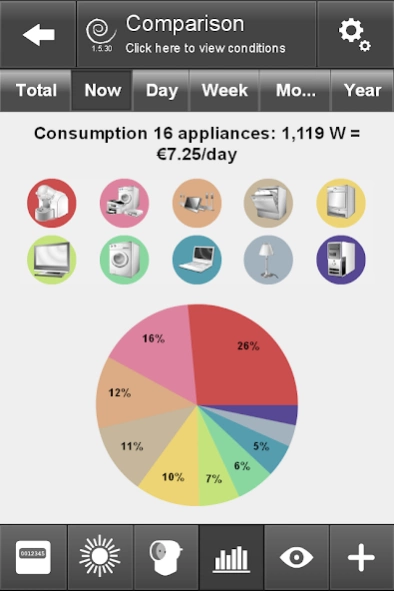
The Plugwise system provides convenient insight into your energy consumption!
This app can be used with the Plugwise Smile P0/P1/S0 (and a smart meter) and/or the Plugwise Stretch 2.0.
With the Smile P1, on your smartphone, tablet or PC it’s easy to access current information about your total consumption, both electricity and gas.
With the Stretch 2.0 you have an insight into the energy consumption per device or appliance, and with a click on the button on your smartphone, tablet or PC you can switch devices/appliances on or off.
With the Plugwise subscription you also have access to your energy consumption even when you are not at home. Based on your current consumption, a forecast of your yearly bill is shown, so that you know what’s involved and can take steps in good time to prevent high energy charges.
This app also shows the production and net yield of your solar panels or micro-cogeneration unit if a Plugwise Circle or Stealth has been connected to them.
About Plugwise mobile
The company that develops Plugwise mobile is Plugwise. The latest version released by its developer is 2.2.5. This app was rated by 1 users of our site and has an average rating of 4.0.
To install Plugwise mobile on your Android device, just click the green Continue To App button above to start the installation process. The app is listed on our website since 2018-05-09 and was downloaded 12 times. We have already checked if the download link is safe, however for your own protection we recommend that you scan the downloaded app with your antivirus. Your antivirus may detect the Plugwise mobile as malware as malware if the download link to air.com.plugwise.plugwisemobile is broken.
How to install Plugwise mobile on your Android device:
- Click on the Continue To App button on our website. This will redirect you to Google Play.
- Once the Plugwise mobile is shown in the Google Play listing of your Android device, you can start its download and installation. Tap on the Install button located below the search bar and to the right of the app icon.
- A pop-up window with the permissions required by Plugwise mobile will be shown. Click on Accept to continue the process.
- Plugwise mobile will be downloaded onto your device, displaying a progress. Once the download completes, the installation will start and you'll get a notification after the installation is finished.
Program Details
System requirements
Download information
Pricing
Version History
version 2.2.5
posted on 2018-05-09
We enhanced and improved the solar panel functionalities.
version 1.7.63
posted on 2015-04-21
Support for Firmware Stretch 2.3+,Support for Firmware Smile 2.1+,Faster display of graphs,Possibility to configure new types of Smile meters,Language setting improved,Omission of subscription related dialogs,Improvement to tooltips,This version of the Plugwise App, in combination with the updated firmware of your Stretch and Smile, enables improved Plugwise-Cloud services.,If your App does not detect the new firmware update for your Stretch and Smile, please contact Plugwise customer support.
version 1.5.32
posted on 2013-07-03
Several fixes and updates
